
Quick Answer: You can visit Dubai without buying a local SIM, especially if your roaming plan is good. But for most tourists, the Dubai tourist SIM or eSIM makes life easier because you’ll use mobile data for maps, taxis, hotel messages, bookings and quick searches while moving around.
Dubai is one of those places where internet becomes useful the moment you land. You may need to message your hotel, check your pickup driver, open Google Maps, or book a Careem after leaving the airport. And yes, airport Wi-Fi is there but it only helps while you are still inside the airport area.
Once you are outside, things feel different. You are in a taxi, trying to find your hotel, checking restaurant timings, booking tickets, or sending photos to family. This is where having your own mobile data saves you from small travel stress.
A tourist SIM card in Dubai is not hard to get. The main options are usually du, e&/Etisalat and Virgin Mobile UAE. You can choose a physical SIM or an eSIM, depending on your phone. The real thing is just knowing what to check before buying, because not every tourist needs the same plan.
Can Tourists Buy a SIM Card in Dubai?
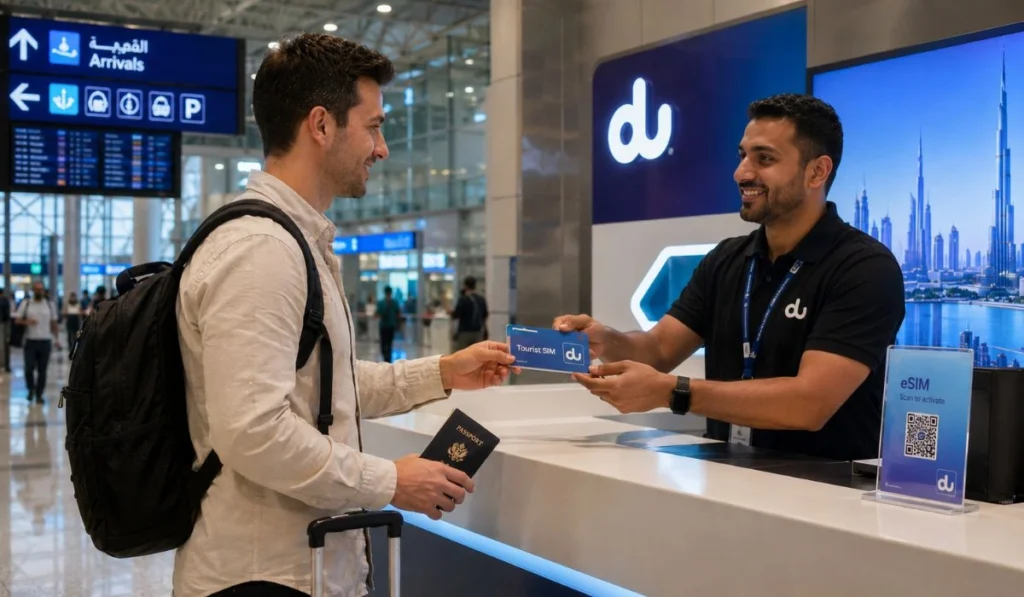
Yes, tourists can buy SIM cards in Dubai. You can also buy an eSIM if your phone supports it. The process is usually simple, but you will need your passport because SIM cards in UAE must be registered before activation.
Most tourists buy a SIM at Dubai International Airport because it is easy and quick. You land, pass immigration, collect your bags, and then you can find telecom counters around the arrivals area. Staff can help you pick a plan, register the SIM, and test the internet before you leave.
You can also buy a SIM later from telecom stores, shopping malls or provider apps. This may be better if you do not need internet access immediately. But if you are new in Dubai and need maps or taxi apps right away, buying at the airport feels more comfortable.
One small thing. Don’t trust old prices from random posts too much. Tourist SIM packages change often. Data bundles, validity and calling minutes can change, so always check the latest plan before paying.
Best SIM Card Options for Tourists in Dubai
The main tourist SIM providers in Dubai are du, e& (formerly Etisalat), and Virgin Mobile UAE. Most visitors will be fine with any of these if they choose the right data plan. The difference is more about setup style, plan flexibility, and what feels easier for you.
| Provider | Best For | Simple Note |
|---|---|---|
| du | Quick airport SIM or eSIM setup | Common tourist choice with easy data options |
| e& / Etisalat | Visitor plans and strong UAE coverage | Many tourists still call it Etisalat |
| Virgin Mobile UAE | App-based setup and eSIM users | Good if you like managing things online |
If you want the easiest arrival experience, go to a counter at the airport. If you like doing things yourself, eSIM can be cleaner. No card swapping, no tiny SIM tray stress and no worrying about losing your home SIM.
But if your phone is older or does not support eSIM, a physical SIM is still perfectly fine.
eSIM or Physical SIM, Which One Is Better?
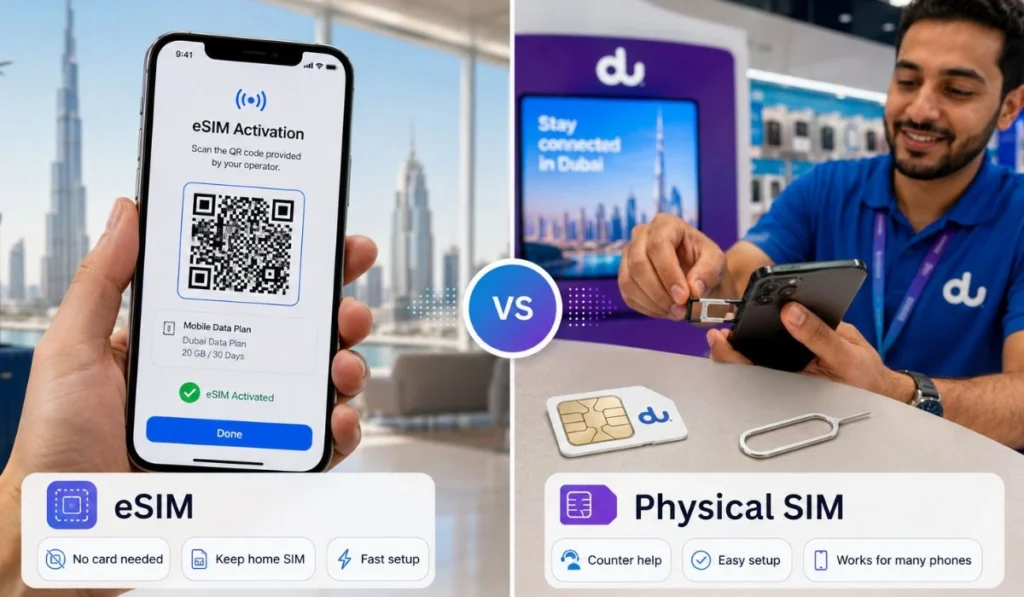
An eSIM is a digital SIM. You do not need to insert a card into your phone. If your phone supports eSIM and is unlocked, you can install it and use mobile data without removing your normal SIM.
This is handy if you still want to receive bank OTPs or important texts on your home number. Many travelers like this because they can keep their original SIM active and use the Dubai eSIM only for internet.
A physical SIM is better if you prefer simple counter help. The staff inserts the SIM, activates it, and you test the internet there. Some people just trust this method more, and honestly, it is still easy.
| Option | Good For | Check Before Buying |
|---|---|---|
| eSIM | Newer phones and fast setup | Phone must support eSIM and be unlocked |
| Physical SIM | Older phones or staff setup | You may need to remove your home SIM |
Before anything, check if your phone is unlocked. If your phone is locked to your home network, a Dubai SIM may not work. This is the kind of small thing people forget until they are already standing at the airport counter.
Where Can You Buy a Tourist SIM in Dubai?
Dubai International Airport is usually the easiest place. You arrive, see the telecom counters, choose a plan, show your passport, and get connected. For first-time visitors, this is the smoothest option because you can test everything before leaving the airport.
You can also buy a tourist SIM from:
- Airport arrival counters
- du stores
- e& / Etisalat stores
- Virgin Mobile UAE stores or app
- Shopping malls
- Online eSIM pages
- Some travel eSIM websites before arrival
If you already have roaming for the first day, you can wait and compare calmly after reaching your hotel. But if you need internet for a taxi, map, or hotel call right away, the airport option makes more sense.
I would say, for a first Dubai trip, don’t overcomplicate it. Get connected early and enjoy the trip.
What Documents Do You Need?
For a tourist SIM in Dubai, your passport is the main thing. The provider may scan it or enter your details during activation. Sometimes visa or entry details may also be checked, depending on the setup.
Keep these ready:
- Passport
- Tourist visa or entry details if asked
- Unlocked phone
- Payment card or cash
- eSIM-compatible phone if choosing eSIM
- Email access if your eSIM details are sent online
A small travel tip here. Don’t put your passport deep inside your luggage right after immigration if you plan to buy a SIM. Keep it in your hand or small bag until the SIM is activated. It just saves time.
How Much Data Do You Need in Dubai?
This depends on how you use your phone. Some tourists only use maps and messages. Some are uploading Instagram stories from every place. Some use hotspot for a laptop. These are very different data habits.
| Trip Style | Data Level | Good For |
|---|---|---|
| Light use | Small bundle | Maps, WhatsApp messages, quick searches |
| Normal use | Medium bundle | Maps, taxis, social media, hotel messages |
| Heavy use | Large or unlimited-style plan | Videos, hotspot, uploads, longer stays |
For normal tourists, a medium data plan is usually a safe choice. You’ll use maps, taxi apps, WhatsApp messages, restaurant searches, maybe some Instagram and TikTok. That adds up, but not as fast as video streaming.
Video eats data fast. Hotspot eats data fast too. If you plan to watch YouTube, upload reels, or use your phone as Wi-Fi for your laptop, get a bigger plan. If you only need directions and messages, don’t pay for more than you need.
And sometimes it is not even a big search. You may just be standing near Downtown Dubai and quickly checking how many stories are in the Burj Khalifa before visiting it.
Also check the validity. A 7-day trip and a 14-day trip need different plans. A large data bundle is not helpful if it expires before your trip ends.
How to Activate a Dubai Tourist SIM or eSIM
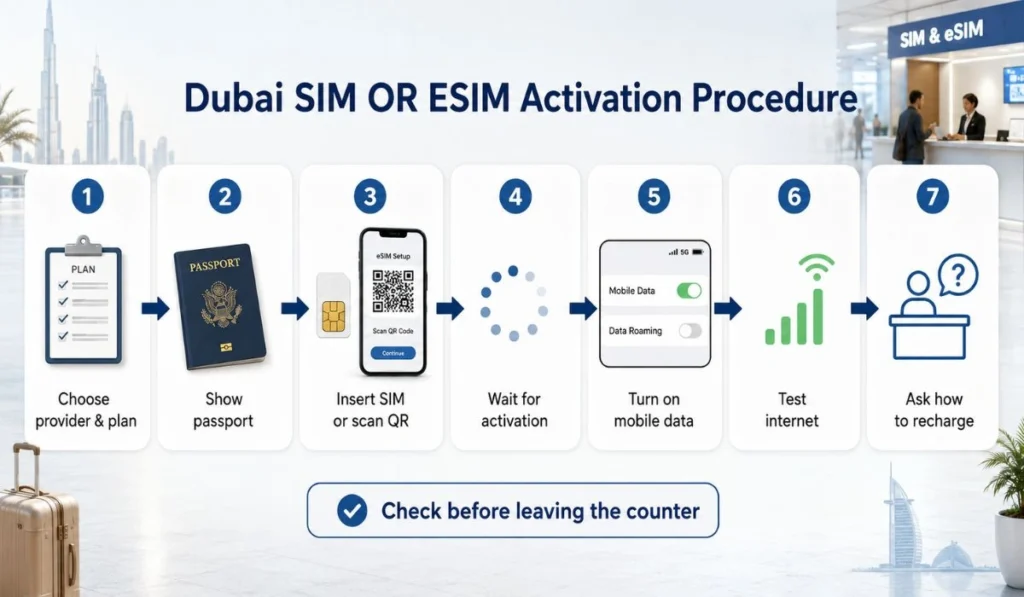
If you buy your SIM at the airport or store, staff usually helps with activation. Still, it is good to know the basic process so you are not confused.
Here is how it usually works:
- Choose your provider and plan
Pick a plan based on your trip length and data use. Don’t just choose the biggest one unless you really need it. - Show or scan your passport
Tourist SIMs need registration, so passport verification is normal. - Insert the SIM or install the eSIM
For a physical SIM, the card goes into your phone. For eSIM, you may scan a QR code or follow setup instructions. - Wait for activation
Sometimes it works quickly. Sometimes it takes a few minutes. Wait until you see signal and data. - Turn on mobile data
Make sure your phone is using the Dubai SIM or eSIM for internet. - Test before leaving Open Google Maps or any website. Don’t leave the counter until it works.
- Ask how to recharge
Save the app name or recharge method, especially if you are staying longer.
This last step is important. If the SIM fails after you leave the airport, fixing it becomes more annoying. At the counter, help is right there.
Things to Check Before Buying
Tourist SIM plans can look almost the same at first. Then later you realize one has fewer days, another has no calls, or one does not allow hotspot. So ask a few simple questions before paying.
Check these things:
- How many days is the plan valid?
- How much data do I get?
- Are local calls included?
- Are international minutes included?
- Can I use hotspot?
- Can I recharge online?
- What happens when the data finishes?
- Does it work in Abu Dhabi, Sharjah, and other Emirates?
- Is tax included in the price?
- Does the SIM expire after my tourist stay?
Don’t feel shy about asking. You are not being difficult. You are just making sure the plan fits your trip.
A two-day visitor and a two-week visitor do not need the same package. Neither someone using only WhatsApp messages nor someone uploading videos all day needs the same package.
Can You Use WhatsApp Calls in Dubai?
WhatsApp messages usually work in Dubai. You can send texts, photos, videos, voice notes, and normal chat messages. But WhatsApp voice and video calls may not work the way they do in your home country.
This surprises many tourists. You buy mobile data and think every internet app will work normally. Then you try a WhatsApp call and it does not connect. It is not always your SIM’s fault. Some internet calling features are restricted in the UAE.
So if you need to call hotels, restaurants, tour guides, or drivers, a plan with local minutes can help. For family calls, check which calling apps are working during your trip or use regular calling if needed.
It is better to know this before you depend on WhatsApp calls for everything.
Tourist SIM vs International Roaming
Roaming is easy because you keep your own number and do not need to buy anything new. If your home carrier gives cheap UAE roaming, maybe that is enough for a short trip.
But roaming can get expensive if your plan is not good. Sometimes you get very little data. Sometimes speed is limited. Sometimes the price looks fine until you cross the limit.
A Dubai tourist SIM or eSIM is usually better if you need daily data and plan to move around a lot.
| Option | Best For | Downside |
|---|---|---|
| Dubai tourist SIM/eSIM | More data and local number | Needs setup |
| International roaming | Short trips and no SIM change | Can be costly |
| Hotel/public Wi-Fi | Very light use | Not useful outside |
For one day, roaming may be fine. For a few days or a full vacation, a local tourist SIM usually feels more relaxed. You don’t keep checking every few minutes if roaming is eating your money.
What If Your Dubai SIM Does Not Work?
Sometimes the SIM does not work right away. Don’t panic. It may need a few minutes, or your phone may need a restart.
Try this:
- Restart your phone
- Turn mobile data on
- Make sure the Dubai SIM or eSIM is selected for data
- Turn airplane mode on and off
- Check if your phone is unlocked
- Wait for the activation SMS
- Ask the provider to check APN settings if needed
- Go back to the counter if you are still nearby
If you are still at the airport, stay there until it works. Open Google Maps. Send a message. Load a website. Test it properly before leaving.
Trust me, fixing SIM issues in a taxi is not fun.
Final Thoughts
A Dubai SIM card is not something every tourist must buy, but it does make the trip easier. You get mobile data for maps, taxis, bookings, hotel messages, restaurant searches, and all those small things that happen during travel.
For most visitors, the main choices are du, e&/Etisalat, and Virgin Mobile UAE. Choose based on your phone, trip length, and data use. If your phone supports eSIM, that can be the cleaner option. If you want staff to set it up for you, a physical SIM at the airport is simple.
Just check the plan before paying. Data, validity, calls, hotspot, recharge, all of it. Once that is clear, you can stop worrying about internet and enjoy Dubai properly.
Would you prefer an eSIM for Dubai, or do you still feel safer with a physical SIM card?