
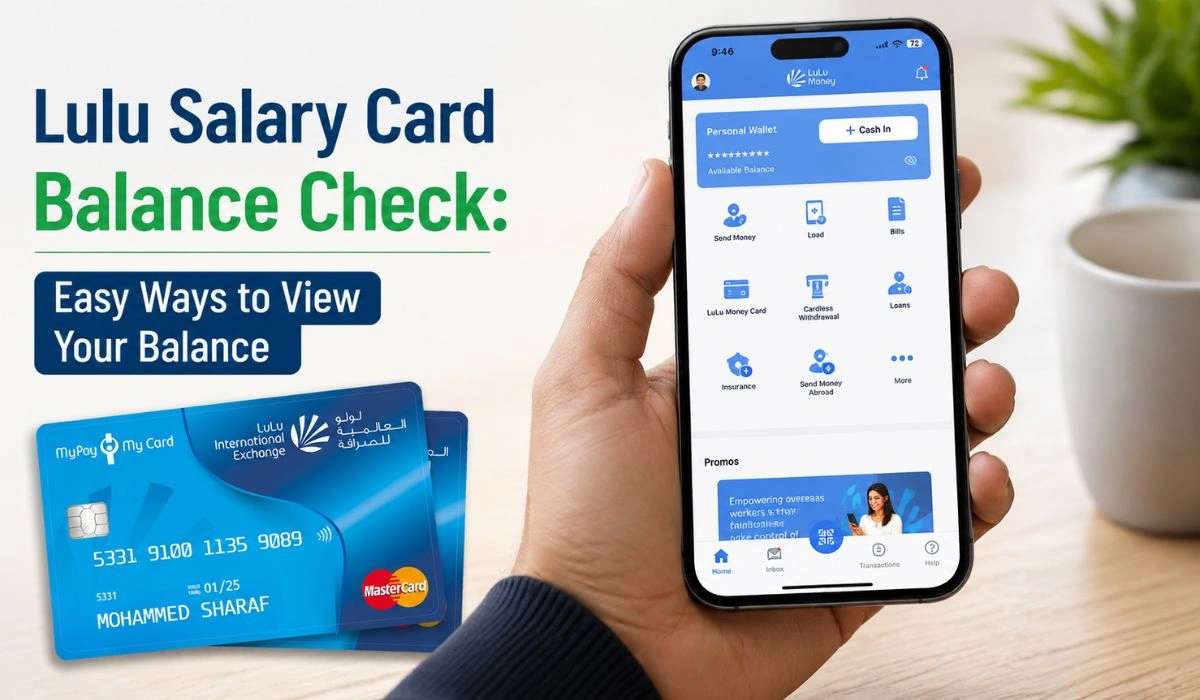
Checking your Lulu card balance is simple once you know where to look. Many people search for a Lulu balance check when they want to see their salary card balance, prepaid card balance, or card transaction history before using the card.
The easiest way for most users is the LuLu Money app. You may also be able to check your balance through an online prepaid card inquiry page, an ATM, or by visiting a LuLu Exchange branch. The best method depends on your card type and where your card was issued.
What You Need Before Checking Your Lulu Card Balance
Before you start, keep your card with you. You may need details like the last digits of your card number, card ID, registered mobile number, PIN, or an OTP. Not every method asks for the same details, so don’t worry if one option looks different from another.
A small safety reminder here, because it matters. Never share your OTP, PIN, or full card details with random websites or unknown people. Use the official LuLu Money app, LuLu Exchange support, or approved card inquiry pages only. Fake balance-check pages can look very real sometimes.
Check Lulu Balance Through the LuLu Money App
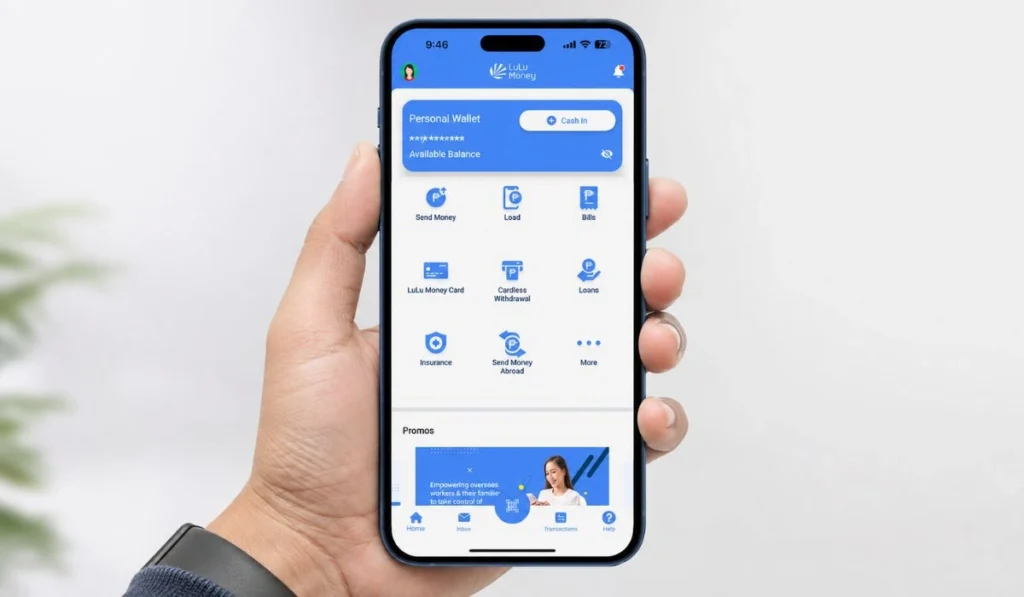
For many users, the LuLu Money app is the easiest option. After opening the app, you can go to the card section from the home page, such as LuLu Money Cards, or open My Cards from the More menu. From there, select your card and check the available balance.
A simple way to do it is:
- Open the LuLu Money app on your phone.
- Log in with your registered mobile number or account details.
- Go to the card section, such as “LuLu Money Cards” or “My Cards.”
- Select your card.
- Check the available balance and recent activity.
This method is useful because you can often see more than just the balance. LuLu Exchange also mentions that card users can check transaction history, reset the PIN, manage their account, set usage limits, and block or replace the card in the LuLu Money app.
So, if you use your Lulu card often, the app is probably the best place to start.
Check Lulu Balance Online
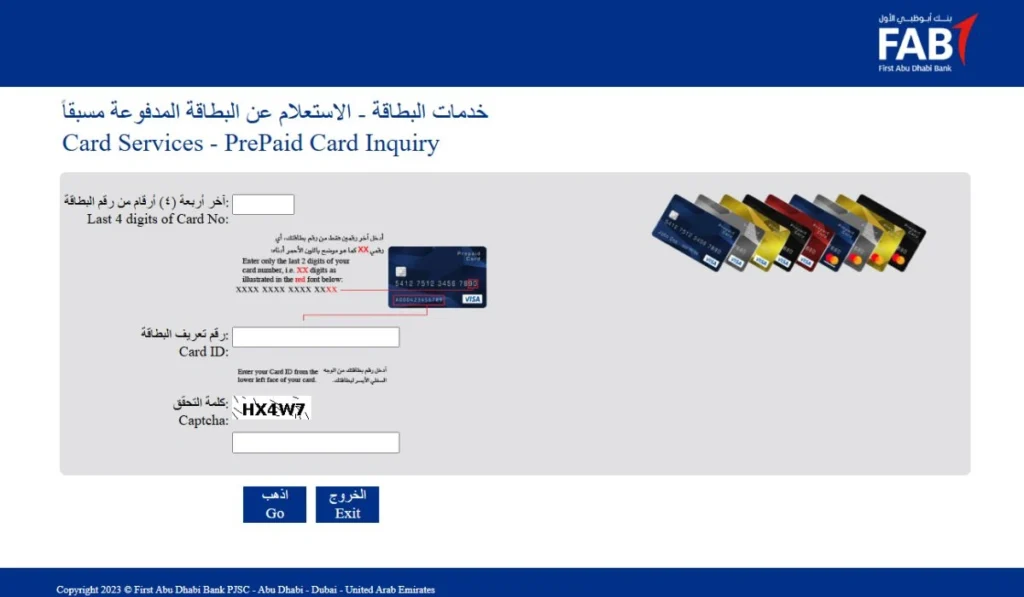
Some prepaid cards can be checked through an online prepaid card inquiry page. For example, the prepaid card inquiry page shown by Magnati asks for the last four digits of the card number, card ID, and captcha before continuing.
This method is good when you don’t want to install an app, or you only need a quick balance check. Still, be careful with this part. Online card inquiry pages can change, and different Lulu-linked cards may not use the same system.
Use this method like this:
- Open the official or approved prepaid card inquiry page for your card.
- Enter the required card details, such as the last four digits or card ID.
- Complete the captcha or security check.
- Submit the form and wait for the balance result.
If your card details are not accepted, don’t keep trying again and again. Check the card type first, then use the app, ATM, or branch support.
Check Through ATM
ATM balance inquiry is a good choice when you don’t have internet or can’t access the app. You only need your card and PIN.
Insert your Lulu salary card into a supported ATM, choose the balance inquiry option, and enter your PIN when asked. The ATM should show your available balance on the screen. Some machines may also give a printed receipt or mini statement.
For UAE wage and salary cards, LuLu Exchange mentions cash withdrawal support through LuLu Exchange branches and selected bank ATMs, including Emirates NBD, Emirates Islamic Bank, and Mashreq Bank ATMs in the UAE.
One thing to keep in mind, ATM rules and fees can depend on your card type. If you are not sure, check with LuLu Exchange support or ask at the branch before making repeated inquiries.
Visit a LuLu Exchange Branch
Sometimes the app does not open. Sometimes the balance does not show. And sometimes the card itself has a problem. In that case, visiting a LuLu Exchange branch can save time.
Take your card and a valid ID with you. The staff may help you check your balance, fix card access issues, reset details, or guide you about blocked cards. This option is slower than the app, yes, but it is better when the issue is not simple.
Branch support is also useful if your salary was expected but does not appear, or if the balance looks wrong. Don’t ignore a balance mismatch, especially if your card is used for wages or regular payments.
Lulu Balance Check Methods Comparison
| Method | Best For | Internet Needed | Good To Know |
|---|---|---|---|
| LuLu Money App | Regular balance checks | Yes | Usually the easiest method for app users |
| Online Inquiry | Quick prepaid card check | Yes | Needs correct card details |
| ATM | Offline balance check | No | May need PIN and supported ATM |
| Branch Visit | Card problems or balance issues | No | Best for support and verification |
The main thing to remember is simple. Use the app for daily checking, online inquiry for quick prepaid card checks, ATM when you are offline, and branch support when something feels wrong.
Common Problems During Lulu Balance Check
If your Lulu balance is not showing, it does not always mean your money is missing. It could be a login issue, wrong card details, slow internet, old app version, or a card that has not been linked properly.
Try these simple fixes first:
- Check if your internet is working.
- Make sure you entered the correct card details.
- Confirm that your mobile number is the registered one.
- Update the LuLu Money app if it is not working well.
- Try again after some time if the system seems slow.
- Contact LuLu Exchange or visit a branch if the issue stays.
This is where it gets tricky. If your salary amount appears incorrect or a payment is not reflected, it is better to contact official support rather than guessing. LuLu Exchange’s complaint page also lists issues such as card balance mismatches and incorrect salary amounts as support topics.
Safety Tips Before Checking Your Lulu Balance Online
Balance checking is simple, but card safety is still important. Use the official app or a trusted inquiry page. Do not search randomly and enter your card details on the first website you see.
Never share your OTP or PIN with anyone. Real support teams should not ask you to reveal your full PIN. Also, avoid checking your card balance on public Wi-Fi whenever possible. It’s better to use your own mobile data or a private internet connection.
If you receive a message saying your Lulu card will be blocked unless you click a link, be careful. Open the app yourself or contact the branch. Don’t click strange links.
FAQs About Lulu Balance Check
You can check your Lulu card balance through the LuLu Money app, an approved online inquiry page, a supported ATM, or a LuLu Exchange branch. The app is usually the easiest option for regular users.
Yes, you may be able to check it through an online prepaid card inquiry page, ATM, or branch. The exact option depends on your card type.
In many cases, yes. Some users can check card details through the LuLu Money app or an approved online card inquiry page. If online checking does not work, use an ATM or visit a branch.
It may happen because of wrong card details, app login problems, network issues, or card linking problems. If the issue continues, contact official support or visit a LuLu Exchange branch.
Yes, if you use official or approved channels. Do not enter your card number, OTP, or PIN on unknown websites.
Final Thoughts
Lulu balance check is not hard once you know your options. For most people, the LuLu Money app is the fastest way to check card balance and transaction history. If the app is not available, you can try online inquiry, ATM balance check, or branch support.
Keep your card details safe, use trusted methods, and don’t ignore balance problems if something looks wrong. Have you tried checking your Lulu card balance through the app, ATM, or online page? Share which method worked best for you.