

Quick Answer: You can do an FAB balance check in a few simple ways. The easiest options are the FAB Mobile app, FAB Online Banking, and an FAB ATM. FAB says customers can manage accounts, check balances, make payments, and stay on top of everyday transactions through its digital banking channels.
FAB balance check is one of the most searched things by customers because people want a quick way to see their money before spending, paying bills, or planning transfers. Some users like checking balance on phone, some prefer desktop, and some still use ATM for a direct balance inquiry. That is why it helps to know all the simple methods before you need one.
As digital banking continues to grow, FAB also keeps pushing customers toward mobile and online access. The bank says the FAB Mobile app helps users stay on top of everyday transactions, manage accounts, and track finances from almost anywhere. Online Banking is also presented as a 24/7 way to manage finances and keep up with account activity.
That’s exactly what we deliver to you in this article: A simple guide to FAB balance check and the fastest ways to monitor your account.
How can you check your FAB balance?
There are a few simple ways to check your FAB balance. The main methods are digital banking through FAB Mobile, online banking through the FAB website, and ATM balance inquiry. FAB’s own pages position the mobile app and online banking as core ways to manage accounts and check balances, while its branch and ATM locator supports the ATM option.
Some common ways to do an FAB balance check are:
- FAB Mobile app
- FAB Online Banking
- FAB ATM balance inquiry
- Support help if digital access is not working
This gives customers more than one option, which is useful because not everyone checks balance in the same way. Some want the fastest daily method, while others want a backup option when they cannot access mobile or web banking.
FAB balance check on the mobile app
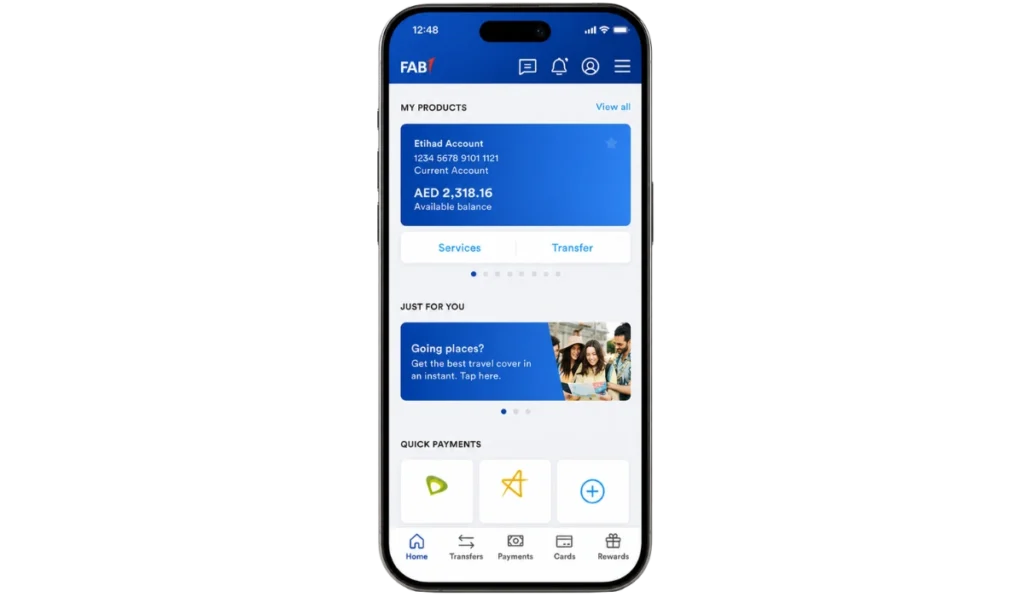
FAB Mobile is the easiest option for many customers because it is made for everyday banking. FAB says users can manage accounts, debit and credit cards, check balances, make payments on time, and stay on track through the app. The same page also says customers can stay on top of everyday transactions from just about anywhere.
This is why the mobile app is often the best option for routine balance checks. You do not need to visit a branch or wait to get to a computer. If your phone is already set up for FAB Mobile, then checking your account balance becomes one of the quickest daily banking tasks. FAB also highlights features like real-time alerts, spending insights, and transaction tracking, which makes the app useful for account monitoring and not only for one-time balance checks.
FAB balance check through Online Banking
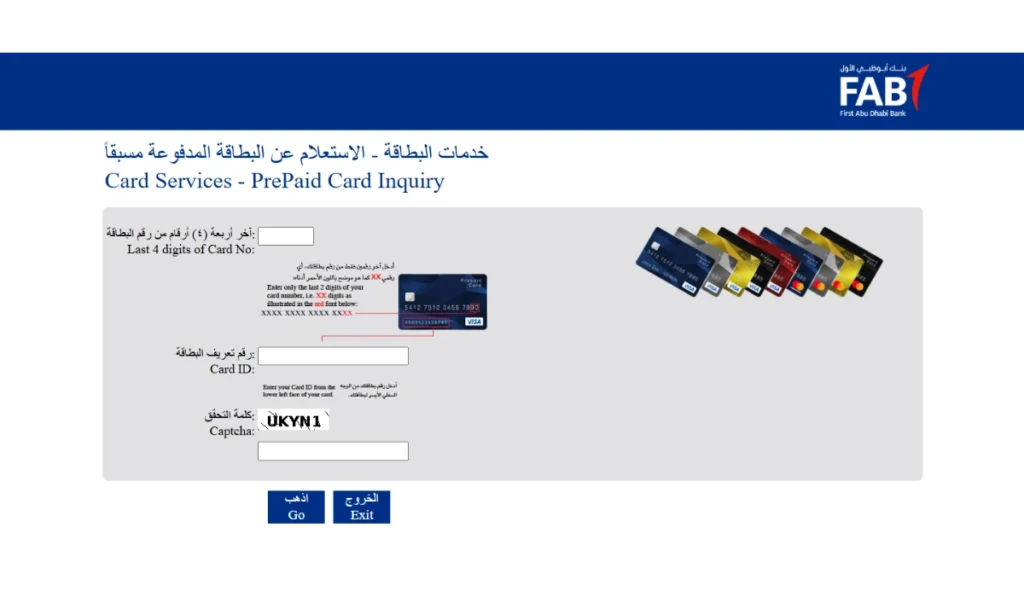
FAB Online Banking is another simple way to monitor your account. FAB’s online banking page says the service offers a convenient way to manage finances 24/7 and keep up to date with your account. This makes it a good option for people who prefer checking balance on laptop or desktop instead of phone.
But there is one important point here. FAB’s digital security pages say the bank has introduced a state-of-the-art authentication process on FAB Mobile and Online Banking so it can confirm that it is really you accessing the account. That means mobile setup matters even for some online banking actions, because app-based approval is part of the security process.
Can you check your FAB balance at an ATM?
Yes, ATM is also a simple option for FAB balance check. FAB provides a branch and ATM locator so customers can find the nearest ATM or branch when they need in-person access. That makes ATM balance inquiry a useful alternative for people who do not want to use phone or desktop at that moment.
ATM balance check is especially useful for customers who are already outside, near an ATM, or having temporary login trouble with digital banking. It may not be the fastest option for daily use compared with the app, but it still works as a practical backup method.
Which FAB balance check method is best for you?
The best method depends on how you usually bank. Some users want speed, some want a bigger screen, and some want a physical option without logging in digitally. That is why it helps to match the method to your situation instead of using one method for everything.
A simple way to choose is:
- FAB Mobile for the fastest daily balance check
- Online Banking for users who prefer desktop or browser access
- ATM for quick balance inquiry outside digital banking
- Support channels if login or device approval is not working
For most people, FAB Mobile looks like the strongest daily option because FAB promotes it as the place to manage accounts, track spending, and keep up with transactions on the go.
What if you cannot log in to check your balance?
Sometimes the problem is not the balance check itself. The real issue is login or device access. FAB’s authentication pages say the bank uses stronger digital security through FAB Mobile and Online Banking, and a support PDF explains that customers may be prompted to check their device and approve certain actions.
If you cannot log in, the first thing is to make sure your registered mobile device is available and your FAB Mobile setup is working properly. If that still does not solve the issue, ATM access or FAB support channels may be the next practical step. FAB’s contact page says customers can use digital help options and also provides a call center number for other queries.
Security tips when checking your FAB balance
Security matters a lot when doing an FAB balance check because fraud often starts with fake messages, fake calls, or fake links. FAB’s security page clearly says customers should not share account details or OTP with anyone who contacts them by SMS, WhatsApp, or email while pretending to be FAB. The bank also says suspicious messages should be reported.
Some useful safety tips are:
- Never share account details or OTP by SMS, email, or call
- Log in only through official FAB channels
- Keep your registered mobile device available
- Be careful with approval requests and suspicious links
These steps matter because FAB says its security systems are built to protect access, but customers also need to avoid giving sensitive details to fraudsters.
Is FAB Mobile the fastest way to monitor your account?
For most customers, FAB Mobile looks like the fastest and most convenient way to monitor an account. FAB says the app helps users stay on top of everyday transactions, manage accounts, check balances, and get real-time alerts. It also highlights spending and cashflow insights, which means the app supports regular account monitoring and not only single balance checks.
This makes the app more useful than a one-time balance tool. It helps customers keep up with daily account activity, spending, and alerts in one place. So if someone wants the simplest and fastest routine method for FAB balance check, the mobile app is usually the better choice.
Conclusion
FAB balance check is simple once you know the right method for your needs. The main options are FAB Mobile, FAB Online Banking, and ATM balance inquiry. For most users, the mobile app is the easiest everyday option because it combines balance checks, account management, alerts, and finance tracking in one place. Online Banking is useful for desktop users, and ATMs remain a practical backup option.
If you want the fastest routine method, FAB Mobile is the stronger choice. But if your login is not working or you are away from your phone, the other methods still help you stay on top of your account. And before using any method, always remember FAB’s safety warning not to share personal, card, account details, or OTP in response to suspicious messages or calls.